


ArenaPlus deposit not reflecting Key Takeaways
Few things are more frustrating than funding your ArenaPlus account and watching the balance stay empty.
Why Your ArenaPlus Deposit Is Not Reflecting
When you send money to your ArenaPlus wallet, several systems have to talk to each other: your bank or e-wallet, the payment gateway, and ArenaPlus’s own ledger. A breakdown at any point can cause your ArenaPlus deposit not reflecting in real time. Understanding the common failure points helps you choose the right fix without wasting time. For a related guide, see ArenaPlus Maya Deposit and Withdrawal Guide: 3 Smart Tips for Fast Transactions.

Bank Processing Delays
Banks do not process transfers instantly outside business hours. If you deposited late at night or on a weekend, your bank may hold the transaction until the next clearing window. In the Philippines, interbank transfers via InstaPay usually settle within seconds, but PESONet transactions can take up to one business day. Always check which transfer method you used.

Server Congestion or Maintenance
ArenaPlus occasionally performs scheduled maintenance or experiences traffic spikes during major sports events. During these windows, the system may accept your payment but queue the ledger update. Most deposits post within 15 minutes once the server catches up.

Incorrect Deposit Details
Typing the wrong account number, selecting the wrong payment channel, or entering an invalid reference code can divert your funds into an unlinked queue. Double-check every digit before submitting.
Step-by-Step Fix for ArenaPlus Deposit Not Reflecting
Follow these steps in order. Most users resolve the issue by step three.
Step 1: Confirm the Transaction on Your Bank Side
Open your banking app or e-wallet and locate the outgoing transaction. Take a screenshot showing the amount, date, time, and reference number. If the transaction shows as “pending” or “failed,” the issue is on the bank end. Contact your bank first. If it shows “completed,” proceed to step two.
Step 2: Check ArenaPlus Deposit History
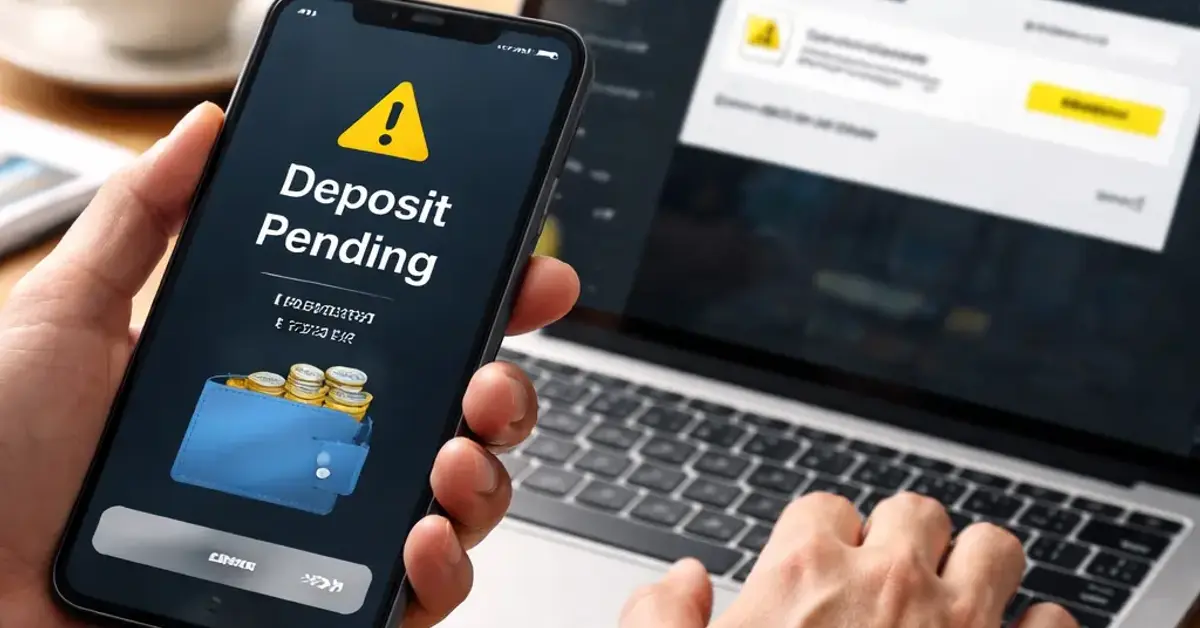
Log in to ArenaPlus and navigate to My Account → Deposit History. Look for the transaction using the same amount and approximate time. If you see it listed as “Pending” or “Processing,” the system has received it but has not yet credited your balance. Wait 15–30 minutes and refresh the page. If it still shows as pending, move to step three.
Step 3: Clear Cache and Re-Login
A stale browser cache or app session can cause the balance display to freeze. Close the app or browser completely, clear the cache (Settings → Apps → ArenaPlus → Clear Cache on Android; Safari → Clear History on iOS), then log in again. This forces a fresh sync with the server and often resolves a false ArenaPlus deposit not reflecting status.
Step 4: Contact ArenaPlus Support With Full Details
If the transaction is completed on your bank side but not showing in ArenaPlus after 30 minutes, open a support ticket. Use the in-app live chat for the fastest response. Provide:
- Transaction reference number from your bank
- Exact amount and date/time of deposit
- Screenshot of the bank confirmation
- Your ArenaPlus registered email or phone number
A live agent can manually credit your wallet after verifying the payment. According to ArenaPlus support policy, manual credits are processed within 2 hours during business hours.
Step 5: Escalate if Unresolved After 4 Hours
If support has not resolved the issue after four hours, request a ticket escalation to the payments team. Send an email to ArenaPlus’s official support address (found in the app’s “Help” section) with “URGENT: Deposit Not Reflecting” in the subject line. Include all screenshots and your support ticket number. Payments team tickets are typically prioritized and resolved within 24 hours.
Preventing Future ArenaPlus Deposit Problems
Once your deposit is credited, take a few preventive measures to avoid the same headache next time.
Use InstaPay or GCash for Instant Transfers
InstaPay and GCash-to-ArenaPlus deposits are nearly always instant. Avoid PESONet if you need the funds immediately. Bookmark the official ArenaPlus payment methods page (https://www.arenaplus.ph/payment-methods) to see the latest supported channels.
Deposit During Business Hours
Bank transfers process faster between 8:00 AM and 5:00 PM, Monday to Friday. If you deposit outside those hours, expect a possible delay of up to 12 hours for PESONet transactions.
Keep Confirmation Screenshots
Save every deposit confirmation until the balance updates. A simple screenshot can cut support resolution time by hours because the agent does not need to wait for a bank inquiry.
ArenaPlus Deposit Comparison: Bank Transfer vs. E-Wallet
| Payment Method | Typical Speed | Common Issue | Best For |
|---|---|---|---|
| InstaPay (Bank Transfer) | Instantly to 15 mins | Server lag on ArenaPlus side | Quick top-ups |
| PESONet (Bank Transfer) | 1 business day | Delayed crediting | Large deposits (no rush) |
| GCash | Instantly to 5 mins | GCash maintenance window | Mobile-first users |
| PayMaya | Instantly to 5 mins | Incorrect account linking | Maya ecosystem users |
Useful Resources
For official payment method updates and troubleshooting, visit the ArenaPlus payment guide: ArenaPlus Payment Methods.
To check the current status of InstaPay and PESONet services in the Philippines, refer to the Bangko Sentral ng Pilipinas payment system status page: BSP Payment Systems Status.
An ArenaPlus deposit not reflecting is almost always a temporary glitch or a simple verification delay. By checking your bank confirmation first, then following the step-by-step fixes above, you can restore your balance quickly. Bookmark this guide for the next time you need a fast deposit fix.
Frequently Asked Questions About ArenaPlus deposit not reflecting
How long does ArenaPlus take to reflect a deposit?
Most deposits reflect instantly or within 15 minutes. Bank transfers via PESONet can take up to one business day. If your ArenaPlus deposit not reflecting after 30 minutes, start the troubleshooting steps above.
Why did my bank deduct money but ArenaPlus shows zero balance?
This usually means the payment gateway received the funds but has not yet confirmed the credit to ArenaPlus. Check your Deposit History for a “Pending” status. If it remains after 30 minutes, contact support with your bank confirmation.
Can ArenaPlus deposit be reversed if it doesn’t reflect?
Yes. If the transaction fails on ArenaPlus’s side after your bank releases the funds, the amount is typically returned to your bank or e-wallet within 3–5 business days. Support can expedite this process.
What information do I need to give ArenaPlus support for a missing deposit?
Provide the transaction reference number from your bank, the exact amount and date/time of deposit, a screenshot of the bank confirmation, and your registered ArenaPlus email or phone number.
Does ArenaPlus have a minimum deposit amount?
Yes. The minimum deposit varies by payment method. For GCash and bank transfers, it is typically PHP 100. Check the Deposit page in the app for your selected method’s minimum. For a related guide, see ArenaPlus Payment Methods Philippines 2026: Safety Guide.
How do I know if ArenaPlus is under maintenance?
ArenaPlus usually announces scheduled maintenance via in-app notifications and on their official Facebook page. If deposits are delayed for all users, check those channels first.
Can I deposit using a credit card on ArenaPlus?
No. ArenaPlus currently supports only local bank transfers (InstaPay, PESONet) and e-wallets (GCash, PayMaya). Credit card deposits are not available.
Why is my ArenaPlus deposit showing “Pending” for hours?
A “Pending” status longer than 30 minutes usually indicates a manual review by the payments team. This can happen if the transaction amount is large or triggers a security flag. Contact support for clarification.
What is the fastest way to fix an ArenaPlus deposit not reflecting ?
The fastest fix is to use the in-app live chat with your transaction reference number ready. Most live agents can verify and credit your wallet within 10 minutes if the payment is confirmed on the bank side.
Can I deposit to ArenaPlus from overseas?
ArenaPlus is designed for Philippine-based users. International bank transfers are not supported. You need a local bank account or e-wallet to deposit.
Does ArenaPlus charge a fee for deposits?
No. ArenaPlus does not charge deposit fees. However, your bank or e-wallet may apply its own transfer fee. Check with your provider before sending.
Why did my deposit reflect but the bonus was not credited?
Deposit bonuses usually require a minimum amount and a valid bonus code. Check the Promotions page to confirm you met the conditions. If you did, contact support to have the bonus manually applied.
Can I deposit using 7-Eleven or other over-the-counter channels?
No. ArenaPlus does not support over-the-counter deposits. Only online bank transfers and e-wallet payments are accepted.
How do I check my deposit history on ArenaPlus?
Open the ArenaPlus app, go to My Account, then select Deposit History. You will see a list of all recent deposits along with their statuses.
What should I do if ArenaPlus support does not respond?
If live chat is unresponsive, send an email to support@arenaplus.ph with “URGENT: Deposit Not Reflecting” in the subject line. Include all relevant details. Escalate to the payments team if you do not get a reply within 4 hours.
Can I cancel a deposit that is still pending on ArenaPlus?
No. Once a deposit transaction is initiated, it cannot be cancelled from your end. If the funds are stuck, contact support to either complete the credit or initiate a reversal.
Does ArenaPlus deposit faster on mobile app or web?
Both channels process deposits at the same speed. However, the mobile app tends to update the balance display faster because it refreshes automatically after a successful transaction.
Why does my deposit show as “Failed” on ArenaPlus but bank says completed?
This usually indicates a mismatch between the payment reference and your ArenaPlus account. The funds may be held in a suspended queue. Contact support immediately with your bank confirmation to have them reconcile the transaction.
Is there a daily deposit limit on ArenaPlus?
Yes. The daily deposit limit is PHP 50,000 for most users. Higher limits may be available after account verification. Check the Deposit page for your exact limit.
How do I avoid ArenaPlus deposit problems in the future?
Use InstaPay or GCash for instant transfers, deposit during business hours, save confirmation screenshots, and always double-check your deposit details before submitting. Following these habits eliminates most common issues. For a related guide, see ArenaPlus GCash Deposit Guide PH 2026: Avoid These 3 Mistakes.