



ArenaPlus bank transfer Key Takeaways
To transfer funds from your bank to ArenaPlus in the Philippines, you need a linked bank account, the correct recipient details, and patience for processing times.
What You Need Before Making an ArenaPlus bank transfer
Before you start, gather the following:

- An active ArenaPlus account (registered and verified)
- A Philippine bank account or e-wallet (GCash, PayMaya, or Coins.ph) linked to your name
- Sufficient balance for the deposit amount plus any bank fees (usually ₱10–₱25 per transaction)
- Stable internet connection — the deposit page must load completely
Most Philippine banks now allow real-time transfers via InstaPay (max ₱50,000 per transaction) or batch processing via PESONet (larger amounts, 1-day settlement). ArenaPlus accepts both methods, but your selected option determines the arrival time. For a related guide, see ArenaPlus GCash Withdrawal Guide: Avoid 3 Costly Mistakes.
Step-by-Step ArenaPlus bank transfer Instructions
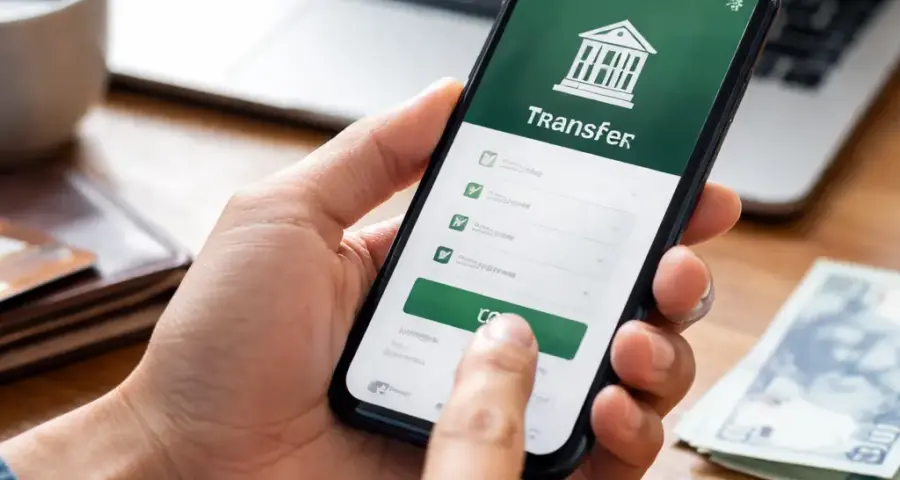
Step 1: Log In and Navigate to Deposit
Open the ArenaPlus app or website. Log in with your registered credentials. On the dashboard, tap the green “Deposit” button (usually at the top or bottom of the screen).
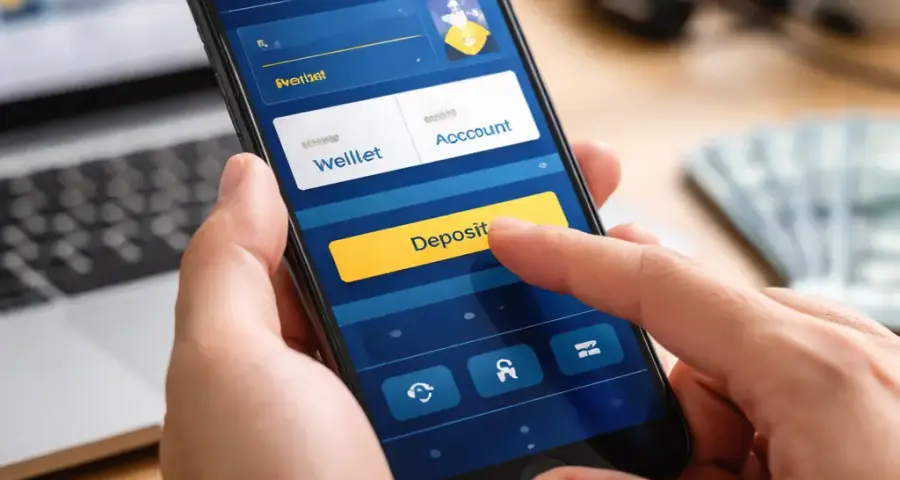
Step 2: Choose Bank Transfer as Your Method
From the list of deposit options — GCash, PayMaya, credit/debit card, or bank transfer Philippines — select “Bank Transfer” or “Online Banking.” ArenaPlus will display a list of supported banks: BDO, BPI, Metrobank, Landbank, UnionBank, Security Bank, and others.
Step 3: Enter Deposit Amount and Verify
Type the amount you want to transfer (minimum ₱100, maximum ₱50,000 per InstaPay transaction). The app will show the equivalent game credits plus any bonus tiers you qualify for. Review the amount, then tap “Proceed.”
Step 4: Get the ArenaPlus Bank Details
ArenaPlus will generate a unique reference number and display the recipient bank account details:
- Bank name (usually UnionBank or BDO, depending on ArenaPlus partner)
- Account name (e.g., “ArenaPlus Inc.” or a specific merchant account)
- Account number (a 12- or 16-digit number)
- Reference or transaction code (important — include this in the bank’s notes field)
Take a screenshot or write down these details. Do not close the ArenaPlus deposit window until you receive a confirmation email.
Step 5: Log In to Your Bank App and Transfer
Open your bank’s mobile app or website. Use the “Send Money” or “Fund Transfer” feature. Choose InstaPay for fast, real-time deposits (arrives within minutes). Use PESONet for larger amounts (usually arrives by the next banking day).
Key details to fill in:
- Recipient bank: UnionBank (or the bank ArenaPlus provided)
- Account number: the one shown in Step 4
- Account name: the exact name ArenaPlus displayed
- Amount: match exactly what you entered in Step 3
- Message or notes field: type the reference code from ArenaPlus
Double-check everything — a wrong account number can send your money to someone else, and banks often cannot reverse such errors.
Step 6: Confirm and Notify ArenaPlus
After your bank shows “Transaction successful,” go back to the ArenaPlus deposit window. Tap “I have transferred” or upload a screenshot of the confirmation (if required). ArenaPlus will verify the payment and credit your account within 1–24 hours.
Step 7: Check Your Balance
Go to your ArenaPlus wallet or balance page. The credited amount should appear as “Playing Credits” or “Cash Balance.” If it’s been more than 24 hours and the funds haven’t arrived, contact ArenaPlus customer support via live chat, email, or phone. Have your transaction reference and bank confirmation ready.
Bank Transfer Fees and Limits for ArenaPlus bank transfer
Understanding fees helps you plan deposits without surprises.
| Deposit Method | Fee (Bank Side) | Fee (ArenaPlus Side) | Max per Transaction | Processing Time |
|---|---|---|---|---|
| InstaPay (via bank app) | ₱10–₱25 | Free | ₱50,000 | 1–30 minutes |
| PESONet (via bank app) | ₱0–₱10 | Free | ₱500,000 | Same day or next banking day |
| GCash (linked bank) | ₱8 (InstaPay) | Free | ₱50,000 | 1–30 minutes |
| PayMaya (linked bank) | ₱10 (InstaPay) | Free | ₱50,000 | 1–30 minutes |
ArenaPlus itself does not charge deposit fees for bank transfers. However your bank or e-wallet may impose a small fee. For the most accurate and current fee schedule, check ArenaPlus’s official deposit page or your bank’s app.
3 Smart Safety Tips for a Smooth ArenaPlus bank transfer
1. Always Copy the Reference Code Exactly
The reference code is how ArenaPlus matches your payment to your account. If you misspell it, type a wrong digit, or omit it entirely, your funds could be stuck in a pending state for days. Paste it into the bank’s “Message” or “Notes” field — do not type it manually if you can avoid it. Even a single letter off can cause a delay.
2. Use InstaPay During Banking Hours for Instant Credit
InstaPay is available 24/7, but most Philippine banks process InstaPay transactions instantly only during banking hours (typically 7 AM to 9 PM, Monday to Friday). Outside those hours, the transfer may be queued and processed the next business day. For the fastest ArenaPlus bank transfer, initiate your deposit between 8 AM and 6 PM on a weekday.
3. Take Screenshots and Keep Them for 72 Hours
Screenshots of the bank confirmation page and the ArenaPlus reference number are your proof of transfer. If the deposit does not arrive within the expected timeframe, customer support will ask for these screenshots. Keep them saved on your phone or cloud storage for at least three days after the transfer is completed. Relying on memory alone is risky — screenshots are concrete evidence.
Common Problems and How to Fix Them
Deposit not showing up after 2 hours
First, check your bank app to confirm the transaction status shows “Completed” or “Sent.” If it does, wait up to 24 hours — sometimes ArenaPlus holds deposits for a manual review, especially for first-time users or large amounts. If after 24 hours the credit is still missing, contact ArenaPlus support with your reference code and bank screenshot.
Bank rejected the transfer
Some banks flag transfers to gaming platforms as “high risk” and may block the transaction. Try using a different bank app or link your account via GCash/PayMaya and then transfer to ArenaPlus. Alternatively, call your bank’s customer service and tell them you are authorizing a payment to “ArenaPlus Inc.” — they can whitelist the recipient for one-time or recurring transfers. For a related guide, see ArenaPlus Payment Methods Philippines 2026: Safety Guide.
Wrong account number entered
If you typed an incorrect account number and the transaction went through, contact your bank immediately. The bank may attempt to recall the funds, but they are not guaranteed to succeed. ArenaPlus will only help if the funds actually reached their account — otherwise, it’s between you and your bank. This is why double-checking before confirming is so important.
Tips to Speed Up Your ArenaPlus bank transfer
- Use InstaPay instead of PESONet whenever possible — it credits within minutes rather than hours.
- Save ArenaPlus as a payee/contact in your bank app so you don’t have to re-enter details each time.
- Deposit before 4 PM on weekdays to ensure the transfer is processed the same day.
- Avoid transfers on major holidays (e.g., Christmas, New Year, Holy Week) when banks operate on skeleton crews and processing takes longer.
Useful Resources
For official instructions and the latest bank partner list, visit the ArenaPlus Help Center (help.arenaplus.ph). For a complete overview of InstaPay rules and limits, refer to the Bangko Sentral ng Pilipinas (BSP) retail payment page at bsp.gov.ph.
Frequently Asked Questions About ArenaPlus bank transfer
What is the minimum amount for an ArenaPlus bank transfer?
The minimum deposit via bank transfer is ₱100. Some banks may have their own minimum transfer amount (e.g., ₱50 or ₱200), but ArenaPlus accepts any amount starting at ₱100.
How long does an ArenaPlus bank transfer take to reflect?
InstaPay transfers usually reflect within 1 to 30 minutes. PESONet transfers take 1 to 24 hours, especially if initiated outside banking hours or on weekends/holidays.
Does ArenaPlus charge a fee for bank transfers?
No, ArenaPlus does not charge any deposit fee for bank transfers. However your bank may impose a small InstaPay or PESONet fee — typically ₱8 to ₱25.
Can I use GCash as a bank transfer method for ArenaPlus?
Yes. You can link your bank to GCash and then use GCash’s “Bank Transfer” feature to send funds to ArenaPlus’s UnionBank account. The process is similar to using a bank app directly.
What banks are supported for ArenaPlus bank transfers?
Supported banks include BDO, BPI, Metrobank, UnionBank, Landbank, Security Bank, RCBC, Chinabank, and others. For the full updated list, check the deposit page inside the ArenaPlus app.
Why is my ArenaPlus bank transfer not showing up?
Common reasons include: you entered an incorrect reference code, the bank is still processing the transaction, or ArenaPlus placed a manual hold on your deposit. Wait up to 24 hours and contact support if it still hasn’t arrived.
Can I cancel an ArenaPlus bank transfer after sending it?
Once an InstaPay or PESONet transfer is completed, it cannot be cancelled. You need to contact ArenaPlus support to request a refund if you sent funds in error — provide proof of the transaction.
What is the maximum amount I can transfer to ArenaPlus via bank?
InstaPay allows up to ₱50,000 per transaction. PESONet allows up to ₱500,000 per transaction, but subject to your bank’s daily limit. ArenaPlus itself may also impose a per-transaction cap.
Is my personal bank account safe when transferring to ArenaPlus?
Yes, as long as you use the official ArenaPlus app or website. Never share your bank login password with anyone. ArenaPlus does not access your bank account — you initiate the transfer from your bank’s app.
What happens if I transfer to the wrong account number?
Contact your bank immediately. The bank may attempt a recall, but success is not guaranteed. ArenaPlus will only assist if the funds reached their account, so always double-check the account number before confirming.
Do I need to verify my identity before transferring?
ArenaPlus requires account verification (upload a government ID, selfie, and proof of address) before you can deposit funds. This is a standard KYC (Know Your Customer) compliance measure.
Can I use international bank accounts for ArenaPlus deposits?
No. ArenaPlus bank transfers only accept Philippine bank accounts and e-wallets linked to Philippine mobile numbers. International bank transfers are not supported.
What is the difference between InstaPay and PESONet for ArenaPlus?
InstaPay is for real-time transfers up to ₱50,000. PESONet supports larger amounts but settles on the next banking day. Choose InstaPay for faster deposits.
Will ArenaPlus notify me when my deposit arrives?
No, ArenaPlus does not typically send a separate notification. You will see the updated balance in your wallet when the funds are credited. You can also check the transaction history page.
Can I transfer from a joint bank account to ArenaPlus?
Yes, as long as your name is one of the account holders. ArenaPlus may ask for additional verification if the account name does not match your registered name exactly.
What if my bank blocks the transaction for security reasons?
Some banks flag transfers to gaming sites as suspicious and block them. Call your bank’s customer support to authorize the transaction, or use GCash/PayMaya as an alternative method to bypass the block.
Is there a daily limit for ArenaPlus bank transfers?
ArenaPlus limits are typically per transaction — up to ₱50,000 via InstaPay and up to ₱500,000 via PESONet. Your bank also sets a daily transfer limit. Check both before initiating a large deposit.
Can I request a refund if I transferred too much?
Yes. Contact ArenaPlus customer support within 7 days of the deposit. They will verify the excess amount and process a refund to your bank account within 3 to 5 business days.
How do I know my transfer was successful?
Your bank will display a “Transaction Successful” message and provide a reference number. Within ArenaPlus, your wallet balance will reflect the credited amount. If both confirm success, the transfer is complete.
What time do ArenaPlus bank transfers stop processing each day?
ArenaPlus processes deposits 24/7. However bank transfers using PESONet only settle on the next banking day if initiated after 3 PM. InstaPay processes even after banking hours, though some banks queue the transaction.